> For the complete documentation index, see [llms.txt](https://usermanual.ergonode.com/llms.txt). Markdown versions of documentation pages are available by appending `.md` to page URLs; this page is available as [Markdown](https://usermanual.ergonode.com/ergonode-user-manual-pl/struktura-produktu/atrybuty/akcje-masowe-dla-atrybutow.md).
# Akcje masowe dla atrybutów
Akcja masowa to funkcja, która umożliwia zbiorczą edycję lub usuwanie atrybutów.
{% hint style="info" %}
Możesz anulować akcję masową, gdy jest wykonywana. Przeczytaj [tutaj ](https://usermanual.ergonode.com/products/catalog/batch-actions#canceling-the-batch-action)aby dowiedzieć się jak.
{% endhint %}
Aby skorzystać z tej funkcji, musisz:
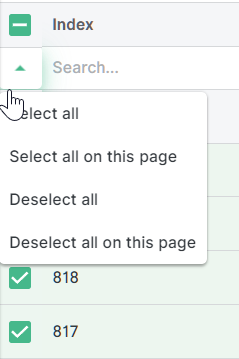
* **Zaznaczyć jeden lub więcej atrybutów** w tabeli, zaznaczając pole obok każdego atrybutu w pierwszej kolumnie. Możesz też użyć listy rozwijanej oznaczonej małą zieloną strzałką, aby zaznaczyć lub odznaczyć wszystkie atrybuty lub tylko te na bieżącej stronie.
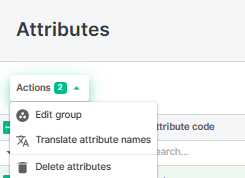
* **Wybrać opcję** z listy rozwijanej w lewym górnym rogu nad tabelą.
### Edytuj grupę
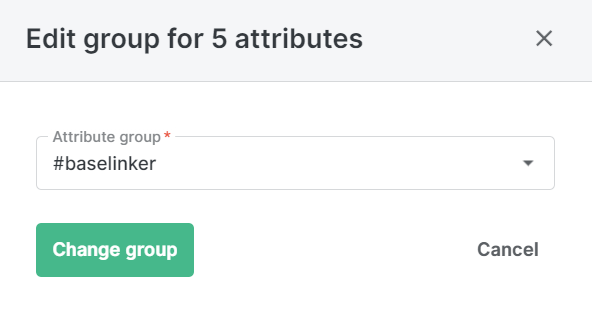
* Jeśli wybierzesz **Edytuj grupę**, możesz przypisać wszystkie zaznaczone atrybuty do istniejącej grupy atrybutów. Pojawi się nowe okno z listą rozwijaną wszystkich grup atrybutów w systemie, przyciskiem **Zmień grupę**oraz przyciskiem **Anuluj**. Kliknij **Zmień grupę** aby potwierdzić przypisanie, lub **Anuluj** aby przerwać akcję.
### Tłumacz nazwy atrybutów
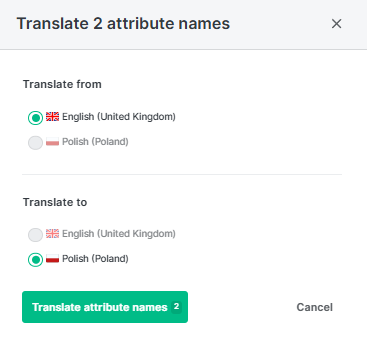
**Dostęp językowy:**
* **Od**: Tylko języki, do których użytkownik ma **ODCZYT** dostęp.
* **Do**: Tylko języki, do których użytkownik ma **ZAPISU** dostęp.
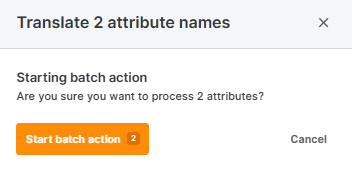
Wybierz język z oraz do i kliknij przycisk **Przetłumacz nazwę atrybutu** aby kontynuować.
Potwierdź lub anuluj.
### Usuń atrybuty
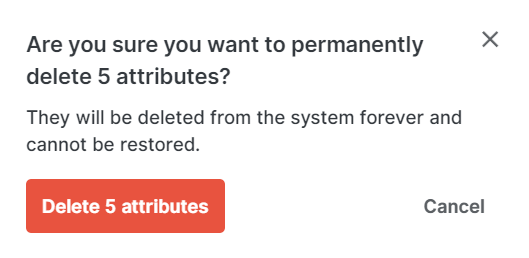
* Jeśli wybierzesz **Usuń atrybuty**, możesz trwale usunąć wszystkie zaznaczone atrybuty z systemu. Pojawi się okno potwierdzenia z przyciskiem **Usuń**oraz przyciskiem **Anuluj**. Kliknij **Usuń** aby potwierdzić usunięcie, lub **Anuluj** aby przerwać akcję.
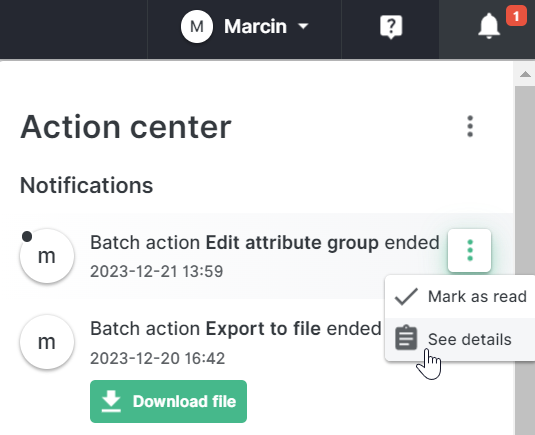
* **Poczekaj, aż akcja masowa** zakończy się w tle. Otrzymasz powiadomienie w „[*Action center*](/ergonode-user-manual-pl/dashboard/dashboard/menu-uzytkownika-i-centrum-akcji.md)**"** gdy zadanie zostanie zakończone.
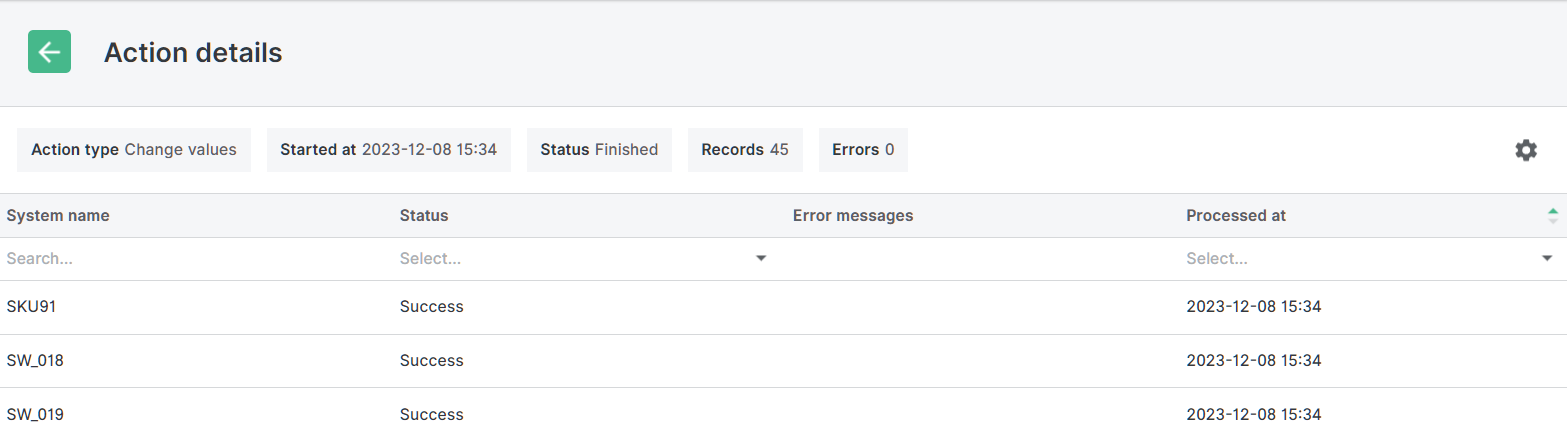
Możesz też kliknąć menu opcji w powiadomieniu i wybrać „*Zobacz szczegóły***"** aby zobaczyć więcej informacji o akcji masowej.
---
# Agent Instructions
This documentation is published with GitBook. GitBook is the documentation platform designed so that both humans and AI agents can read, navigate, and reason over technical content effectively. Learn more at gitbook.com.
## Querying This Documentation
If you need additional information that is not directly available in this page, you can query the documentation by asking a question.
Perform an HTTP GET request on the following URL with the `ask` and `goal` query parameters:
```
GET https://usermanual.ergonode.com/ergonode-user-manual-pl/struktura-produktu/atrybuty/akcje-masowe-dla-atrybutow.md?ask=&goal=
```
`ask` is the immediate question: it should be specific, self-contained, and written in natural language.
`goal` is what the user is ultimately trying to achieve, the reason they need the answer. Sharing it helps GitBook give you a better, more relevant answer. A goal is most helpful when it describes the outcome the user wants rather than restating the question. For example, with `ask=how do I create an API token`, a goal like `automate deployments from our CI pipeline` lets GitBook tailor the answer to that use case.
The response will contain a direct answer to the question and relevant excerpts and sources from the documentation.
Use this mechanism when the answer is not explicitly present in the current page, you need clarification or additional context, or you want to retrieve related documentation sections.